How to Set Up a Second Input on the Portavo 907 Multi

SHARE

Learn how to configure and use dual input functionality on the Knick Portavo 907 Multi in this walkthrough from Joey Simmons.

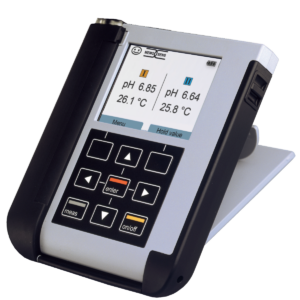
In this video, we cover how to activate dual input functionality using a TAN code, connect both 4-pin and 8-pin Memosens sensors, and view multiple sensor measurements simultaneously on the Portavo 907 Multi OXY portable meter.

Ready to Experience the
M4 Knick Difference?

RELATED PRODUCTS

Portavo 907 Multi Portable Meter

Portavo 907 Multi

Multi-parameter Memosens Portable Meter with Data Storage and USB

Related technical videos

How to calibrate a k25 on the stratos multi thumbnail

How to Calibrate a K25 Conductivity Sensor with the Stratos Multi

how to set up the CSR 425 retractable holder thumbnail

How to Set Up the CSR 425 Retractable Holder

How to Set Up a Second Input on the Stratos Multi

How to Set Up a Second Input on the Portavo 907 Multi